Posts

How to Make IOT BASED LPG LEAKAGE DETECTION SYSTEM

Image
                                    Full Video   Free Code :- #define BLYNK_TEMPLATE_ID "TMPL3DV-hZyu7" #define BLYNK_TEMPLATE_NAME "IOT GAS Leakage Detector" #define BLYNK_AUTH_TOKEN "ZntdeW8MQ0kJMnQSjBwjdn7xPA7ipfp1" #define BLYNK_PRINT Serial #include <ESP8266WiFi.h> #include <BlynkSimpleEsp8266.h> #include <LiquidCrystal_I2C.h> LiquidCrystal_I2C lcd(0x27,16,2); char auth[] = BLYNK_AUTH_TOKEN; char ssid[] = "IOT";  // Enter your wifi name char pass[] = "00000000";  // Enter your wifi password int smokeA0 = A0; int data = 0; int sensorThres = 100; int BUZZER = D0; int FAN = D8; // Relay int SIM = D7;//GSM system BlynkTimer timer; void sendSensor(){ int data = analogRead(smokeA0); Blynk.virtualWrite(V0, data);   Serial.print("Pin A0: ");   Serial.println(data);   i...

Servo Motor Control Using By Bluetooth HC-05

Image
  Code :- #include <SoftwareSerial.h> #include <Servo.h> // servo library  Servo myservo1, myservo2, myservo3, myservo4;  int bluetoothTx = 0; int bluetoothRx = 1; SoftwareSerial bluetooth(bluetoothTx, bluetoothRx); void setup() {   myservo1.attach(3);   myservo2.attach(5);   myservo3.attach(6);   myservo4.attach(9);   Serial.begin(9600);   bluetooth.begin(9600); } void loop() {   if(bluetooth.available()>= 2 )   {     unsigned int servopos = bluetooth.read();     unsigned int servopos1 = bluetooth.read();     unsigned int realservo = (servopos1 *256) + servopos;     Serial.println(realservo);     if (realservo >= 1000 && realservo <1180) {       int servo1 = realservo;       servo1 = map(servo1, 1000, 1180, 0, 180);       myservo1.write(servo1);       Serial.println("Servo 1 Rotate");   ...

Karimganj Boy Samrat Nath Smart Electric Cycle

Image
 Hey 🙋🏻‍♂️ 🔴Introduction:- I'm Young INNOVATOR SAMRAT NATH .I belong to a small village of KARIMGANJ district In ASSAM .The village that I belong to,is in a little backward area so I have faced lot of problems in overcoming the needs.My aim in life is to be a successful ___________ Engineer. 🔴My Innovation:------------- I have worked in many INNOVATION PROJECTS such as :- 🔴 SMART HOME 🔴 SMART WATER FILTER 🔴 SMART SECURITY CAMERA 🔴 DIY MOBILE CONTROLLED MISSILE LAUNCHER and many more.......... (100+INNOVATION'S ) 🔴My latest innovation is a SMART E-BIKE which is very unique and extraordinary than any other bike in the market today. I have been working on this project for a long time ( since 2016 ) and it has been a dream for me since my early childhood days .... 🔴 FEATURES OF E-BIKE:----- My version of E-BIKE comes with various features like..... 🔴 A FINGERPRINT SYSTEM which is used as a switch to start or stop the E-BIKE,which requires the owner's fingerprin...

How to make CCTV camera using by ESP 32 CAM

Image
                                  Code:-  /*  by technical idEas */  #include "esp_camera.h" #include <WiFi.h> #define CAMERA_MODEL_AI_THINKER // Has PSRAM #include "camera_pins.h" const char* ssid = "*********"; // WIFI NAME const char* password = "*********"; // WIFI PASSWOARD void startCameraServer(); void setup() {   Serial.begin(115200);   Serial.setDebugOutput(true);   Serial.println();   camera_config_t config;   config.ledc_channel = LEDC_CHANNEL_0;   config.ledc_timer = LEDC_TIMER_0;   config.pin_d0 = Y2_GPIO_NUM;   config.pin_d1 = Y3_GPIO_NUM;   config.pin_d2 = Y4_GPIO_NUM;   config.pin_d3 = Y5_GPIO_NUM;   config.pin_d4 = Y6_GPIO_NUM;   config.pin_d5 = Y7_GPIO_NUM;   config.pin_d6 = Y8_GPIO_NUM;   config.pin_d7 = Y9_GPIO_NUM;   config.pin_xclk = XCLK_GPIO_NUM;   config.pin_pclk = PCLK_GPIO_NUM;...

Accelerometer Sensor with Arduino

Image
             What's App Group :-  https://chat.whatsapp.com/I4Nv0YEt1hK3Z9EVjsvngh Instagram :-  https://www.instagram.com/technical_ideas_07/?hl=en                                                                      Arduino Code /*   code started MPU-6050 interface with arduino   #define SDA= A4;   #define SCL= A5;   code created by technical ideas yt   https://youtube.com/c/TechnicalidEas07   #define led1 = 2;   #defineled2 = 3;   #define led3 = 4;   #define led4 = 5;  */ #include "Wire.h" // This library allows you to communicate with I2C devices. const int MPU_ADDR=0x68; // I2C address of the MPU-6050. If AD0 pin is set to HIGH, the I2C address will be 0x69. int16_t accelerometer_x, accelerometer_y, accelerometer_z...

How to Make Car Security Alarm

Image
  Instagram Facebook YouTube   Code :-  https://drive.google.com/file/d/176gv1wHuTo3Qf0-k2gchRk2p39nPUBrO/view?usp=drivesdk Watch the full video and get the Password

How to Make Smart Dustbin

Image
  Massage On   Instagram                                 Arduino Code  :-  // code started  // created by technical idEas // https://youtube.com/c/TechnicalidEas07 #include <Servo.h> //servo library Servo servo;      int trigPin = 5;     int echoPin = 6;    int servoPin = 7; long duration, dist, average;    long aver[3]; //array for average void setup() {            Serial.begin(9600);     servo.attach(servoPin);       pinMode(trigPin, OUTPUT);       pinMode(echoPin, INPUT);       servo.write(0); //close cap on power on     delay(100);     servo.detach();  }  void measure() {    digitalWrite(10,HIGH); digitalWrite(trigPin, LOW); delayMicroseconds(5); digitalWrite(trigPin, HI...

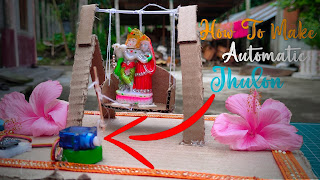
How To Make Automatic Radha Krishna Jhula (Swing)

Image
  If there is any problem to create this project, you can DM on   Instagram Facebook What's app :-  wa.me/916000180664 Group :-  https://chat.whatsapp.com/I4Nv0YEt1hK3Z9EVjsvngh  👨🏻‍💻Code :-  /*   code started #define servo= 9; created by technical ideas   https://youtube.com/c/TechnicalidEas07 */ #include <Servo.h> Servo myservo;   int pos = 0;     void setup() {   myservo.attach(9);   } void loop() {   for (pos = 0; pos <= 180; pos += 1) {               myservo.write(pos);                            delay(4);                                  }   for (pos = 180; pos >= 0; pos -= 1) {               myservo.write(pos);      ...

DIY Clock Using By Arduino

Image
  Instagram Facebook What's App Group :-  https://chat.whatsapp.com/I4Nv0YEt1hK3Z9EVjsvngh Zip i2c :-  https://drive.google.com/file/d/1-OFtSUA04vZjHdXWHE3MpwxeZq4K6esz/view?usp=drivesdk Zip 16x2 :-  https://drive.google.com/file/d/1-Mv62C4WyZ64ZH1XOaRnttN4s1FuH-iV/view?usp=drivesdk Password :- TechnicalidEas07 I2C Code :-  /* code started #define push1= 10; #define push2= 11; #define push3= 12; #define buzzer= 13; created by Technical idEas (YT) chennal link :- https://youtube.com/c/TechnicalidEas07 diy clock using by arduino */ #include <Wire.h> #include<EEPROM.h> #include <RTClib.h> #include <LiquidCrystal_I2C.h> LiquidCrystal_I2C lcd(0x27,20,4); RTC_DS1307 RTC; int temp, inc, hours1, minut, add = 11; int next = 10; int INC = 11; int set_mad = 12; #define buzzer 13 int HOUR, MINUT, SECOND; void setup() { lcd.init(); // initialize the lcd lcd.init(); // Print a message to the LCD. lcd.backlight();...

Best IOT Project By Technical idEas

Image
📌  Instagram 📌  Facebook 📌  What's app  :-  https://chat.whatsapp.com/I4Nv0YEt1hK3Z9EVjsvngh Download Blink  Library BLINK LIBRARY add Video :-  https://youtu.be/gNX2lOuA1Jo     👨🏻‍💻 Code :-  /* code started created by Technical idEas (YT) chennal link :- https://youtube.com/c/TechnicalidEas07 #define light = 1; #define sensor = A0; */ #define BLYNK_PRINT Serial #include <ESP8266WiFi.h> #include <BlynkSimpleEsp8266.h> #define led D1 #define sensor A0 char auth[] = "aF2T__AGsARwYsWAfXyfRiAdbTkc_jUz" ; char ssid[] = "Samrat" ; char pass[] = "00000000" ; BlynkTimer timer; void setup() { // Debug console pinMode(led, OUTPUT); Serial.begin( 9600 ); Blynk.begin(auth, ssid, pass); timer.setInterval( 500 L, sendSensor); } void loop() { Blynk.run(); timer.run(); } void sendSensor() { int LDR = analogRead(sensor); ...

How To Make WiFi Jammer Using by ESP8266 mini

Image
  Software :-  https://drive.google.com/file/d/1-9s7sj15ATiX8__HhG3FrPQWxdvFRl56/view?usp=drivesdk Instagram:-  https://www.instagram.com/technical_ideas_07/?hl=en YouTube :-   https://youtube.com/c/TechnicalidEas07

How To Make Resistor Meter

Image
  Code :-  https://drive.google.com/folderview?id=1-KJohJAW9L3mX6Ng-Kmaw0NC9P0ZkhJ4 technicalidEas07 This password will not work for a few days :( 📌 If you want to know the password, then DM on Instagram :) Will get reply within 24 hours. Instagram ID :-  https://www.instagram.com/technical_ideas_07/?hl=en Facebook :-  https://m.facebook.com/technicalidEas07/ What's App :-  wa.me/916000180664 Group :-   https://chat.whatsapp.com/I4Nv0YEt1hK3Z9EVjsvngh

How to Make Object Detector

Image
  Instagram Facebook YouTube Code :- /* code started code created by Technical idEas  #define buzzer=11  #define led=12 #define trigPin = 10; #define ehoPin = 9; 16x2 lcd connection                  rs = 2, en = 3, d4 = 4, d5 = 5, d6 = 6, d7 = 7;    channel link :- https://youtube.com/channel/UCCJyR_wnt3SxhErsSUP9Wrw */ #include <LiquidCrystal.h>  LiquidCrystal lcd(2, 3, 4, 5, 6, 7); const int trigPin = 10; const int echoPin = 9; long duration; int distance; void setup() {     pinMode(trigPin, OUTPUT);    pinMode(echoPin, INPUT);      pinMode(11, OUTPUT);    pinMode(12, OUTPUT);   Serial.begin(9600);      lcd.begin(16,2);    lcd.setCursor(0, 0);     lcd.print("  Technical idEas "); delay(5000);   } void loop() {     digitalWrite(trigPin, LOW);       delayMicroseconds(2);     ...

Packets Counting Machine By Technical idEas

Image
📌 If you need any help, you can Message on Instagram 📌  Instagram 📌  Facebook 📌 Group :-  https://chat.whatsapp.com/I4Nv0YEt1hK3Z9EVjsvngh 📌 Code :-  https://drive.google.com/file/d/1P4kvi9EnyBFMaCiYIMJmjbD024hMCkHR/view?usp=drivesdk It has a password in it. Watch the full video to know the password i2c library :-  https://drive.google.com/file/d/1xDDEKskHI_jZ0qTfNmhigIBERh0TemSO/view?usp=drivesdk                                   Watch the Video

How to Make Distance Meter

Image
  Instagram Facebook YouTube Code :-  /* Code Started Distance metre using by ultrasonic sensor Crated By Technical idEas YouTube Channel Link :-  https://youtube.com/channel/UCCJyR_wnt3SxhErsSUP9Wrw */ #include <LiquidCrystal.h> #define trigger 5 #define echo 6   const int rs = 7, en = 9, d4 = 10, d5 = 11, d6 = 12, d7 = 13; LiquidCrystal lcd(rs, en, d4, d5, d6, d7);   float time=0,distance=0;   void setup()     {      lcd.begin(16,2);      pinMode(trigger,OUTPUT);      pinMode(echo,INPUT);      lcd.print(" Ultra sonic");      lcd.setCursor(0,1);      lcd.print("Distance Meter");      delay(2000);      lcd.clear();      lcd.print(" Technical idEas");    delay(2000);     }   void loop()     {      lcd.clear();      digitalWrite(trigger,LOW); ...

Clap Switch By Technical idEas

Image
Instagram       If there is any Problem to Create the Project, you can message on Instagram. I will reply within 24 hours.🤗  // Code Started // Created By Technical idEas(YT) // https://youtube.com/channel/UCCJyR_wnt3SxhErsSUP9Wrw int micPin = A0;          // pin that the mic is attached to int gndPin = A1; int powerPin = A2; int micValue1 = 0;   int micValue2 = 0; // the Microphone value int led1 = 13; boolean lightOn = false; void setup() {   pinMode(led1, OUTPUT);   pinMode(powerPin, OUTPUT);   pinMode(gndPin, OUTPUT);   pinMode(micPin, INPUT);   digitalWrite(gndPin,LOW);   delay(500);   digitalWrite(powerPin,HIGH);   Serial.begin(9600);  //for test the input value initialize serial } void loop() {   micValue1 = analogRead(micPin);  // read pin value   Serial.println(micValue1);   delay(1);   micValue2 = analogRead(micPin);   Serial.println(micValue2...

16X2 Display With Arduino

Image
  Subscribe Now    Instagram   👈🏻   If there is any problem to make it, message me on Instagram and I will reply within 24 hours. Facebook                                 Arduino Code :-  /* This Code Created by Technical idEas(YT) Channel Link :-  https://youtube.com/channel/UCCJyR_wnt3SxhErsSUP9Wrw */ // include the library code: #include <LiquidCrystal.h> const int rs = 7, en = 9, d4 = 10, d5 = 11, d6 = 12, d7 = 13; LiquidCrystal lcd(rs, en, d4, d5, d6, d7); void setup() { lcd.begin(16, 2);     lcd.print(millis() / 1000); } void loop() {   lcd.setCursor(0,0);   lcd.print("Hey Friends");   delay(4000);   lcd.clear();   lcd.setCursor(0,0);   lcd.print("I am Samrat");   delay(3000);   lcd.clear();   lcd.setCursor(0,0);   lcd.print("I am a YouTuber    ");   delay(3000);   lcd.clear(); ...